
It’s been more than 25 years since I first tried Linux. I remember; it was a Pentium 200 MMX, with 16MB of RAM (yes, Megabyte! Or more accurately, Mebibyte -MiB, but that’s a topic for another post), and 1.6GB of spinning rust. Still needing Windows (98/ME) for some apps I used back then, I had to divide that 1.6GB disk in two, installing my first Linux on a 800MB partition, plus a tiny (by today’s standards) swap partition. There were not many distros, and I stuck with Slackware for some time, after trying Debian and Red Hat.
What had me gravitate towards Linux was being able to access everything as everything was simple -not in the easy-to-use sense, but in a KISS[1] way. I was hungry for learning new things even just for the sake of it -I still am; and the simplicity made it easier. Nothing was hidden. Want to boot? Tinker with LILO, later GRUB, or nothing at all! Not enough disk space? Start with a damn small Linux (oh, and that’s a thing too!), adding only what you need. You need GUI? Just fire up X, perhaps adding WindowMaker for some icons. For the younger generation; what you have on your smart watch was high end, expensive tech back then.
I tried many distros since, including the original Pardus whose birth I was lucky to witness, Gentoo, Debian, and Arch Linux being the ones I used longest, in this order. I’ll try to count the names at the end of this blog post. 🙂 [2] Lately, especially after getting my RHCSA certificate, I noticed that I somehow been away from Red Hat ecosystem for a veeeeeery long time. In fact, it was the only big ecosystem I didn’t stay in for any reasonably long time, at least for my daily driver.
I’m working on migrating my self hosted/homelab stack to Proxmox these days, and also migrating from my ad-hoc scripts to Ansible/Terraform along the way. Some readers could say it’s overkill for a home setup, and for a handful of machines, they would be right. You learn scripting at some point, or nowadays, have LLMs do much of the heavy lifting for you if you know what you want to do from an architectural standpoint if you really use Linux, and it can be perfectly valid for a small setup. It’s just that, I also started learning Terraform at some point, I know where it can work for my setup, and once things are deployed, they are not more work than my old setup. Same goes for Ansible. If you’re not seeing the pattern yet, let me add: Starting to learn these things do not require any complex license agreements, subscriptions, specialized courses. Documentation is everywhere and it takes minutes to start learning if you have any decent distro on your computer.
You said Fedora?
Yes. After all this distro-hopping, and with my homelab going Red Hat, I figured I wanted to really live in that ecosystem as well. So it’s time for Fedora. I actually had installed one on my daughter’s mini PC, but didn’t do much since. Yesterday, I just downloaded Fedora 43, and replaced the OpenSUSE Leap on my laptop with it.
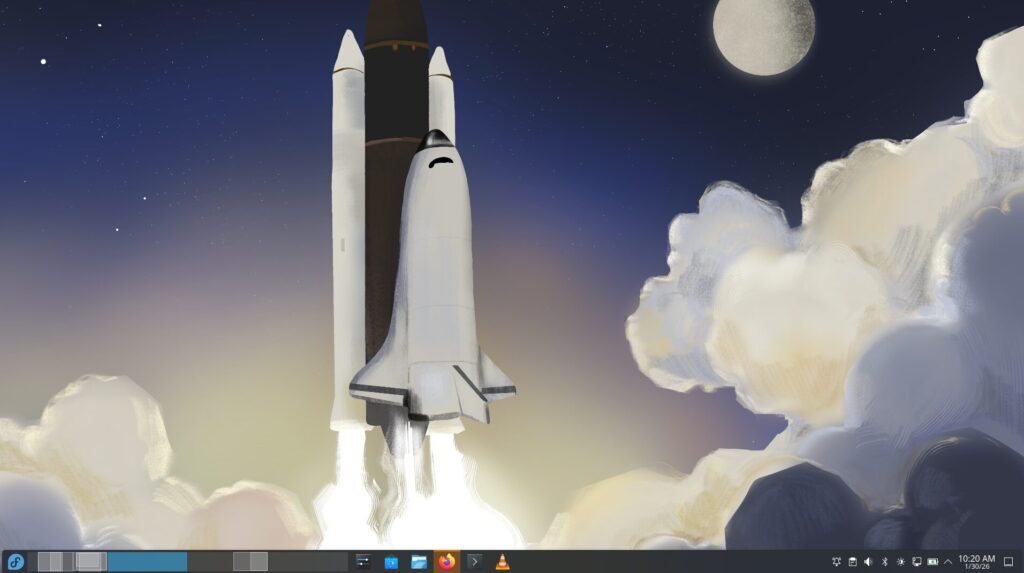
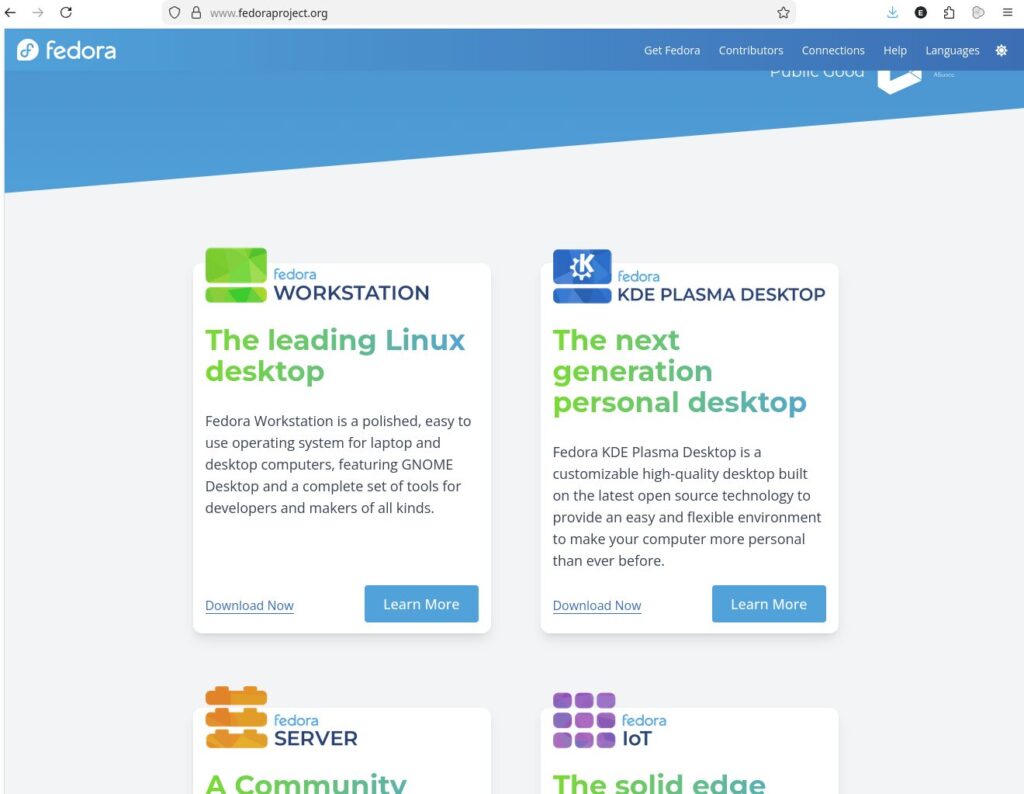
Good news for people like me: Fedora KDE is no longer a “Spin”, apparently. I might just write another blog post on distributions, spins/blends later, but when I checked Fedora before, it would come with Gnome, and you would go to the “Spins” area to see if they provided something with your preferred environment -or close to it. I normally prefer tiling window managers, but wanting to go “close to stock” this time, I turned to my second favorite, the KDE Desktop. I’m not saying Gnome is bad in any way, it just it does not suit my flow to my liking. At the time of this writing, Fedora KDE Plasma Desktop is right beside their main offering for desktops, Fedora Workstation; along with Fedora Server, IoT, Cloud and CoreOS.
The installation process required me to change a couple settings in BIOS -I previously had turned to UEFI-only, apparently Fedora didn’t account for it. For the normal person, it will be the default, so I don’t think many other people would hit that roadblock. The installer was quite simple and I believe this is the correct way. A less experienced user can easily install Fedora. A more experienced one would find extra options, or another spin/distro altogether anyway.
Once you’re in, a quick start helper greets you. I wouldn’t close that outright; at least enable third party repositories while there. Coming from years of Arch Linux on my daily drivers and Debian on my servers, I find the standard repos a bit lacking in terms of packages. I’ll be most likely adding other repos down the road.
Then I had to add ZFS. I have been using ZFS even on my laptops for almost 10 years now, I think. Even this Thinkpad E495 was a result of that choice; not many budget laptops would provide an additional storage bay at the time, and I believe even less do now. While there, let me share the specs, as is the tradition for this kind of articles.
- Lenovo Thinkpad E495
- AMD Ryzen 5 3500U
- 12GB RAM
- Radeon Vega 8 integrated graphics
- 128GB NVME solid state drive
- 500GB SATA SSD secondary disk
Buying the 4GB version and adding a second memory module was cheaper at the time (2020), and I also installed the 500GB SATA drive. That 500GB SATA drive is assigned to a ZFS pool. With this machine, I use ZFS just for management ease; no extra redundancy or anything when compared to a more usual filesystem. The “partitions” I would separately mount with a more conventional layout are datasets for me; like the /home directory, or the one that holds the KVM images. The other features I use regularly are snapshots and send/receive to my home storage box, which I migrated from Debian to OpenMediaVault some time last year.
Anyway. Adding ZFS is as easy as it gets, but I’ll see how it works after I use this machine as my daily driver. I am expecting the version mismatch kind of issues as I do updates; Fedora is a “leading edge” distro when compared to others like Debian, which means from time to time, the kernel is going to have been upgraded, but the ZFS packages would lag behind, being built for the older kernel. Normally I would simply go with LTS versions, using a slightly outdated kernel. This way the maintainers would have the time to build the updated ZFS packages for that kernel, allowing me to just install the packages as I would for any other package, avoiding the build times resulting from dkms way of things. With Fedora, I’m just going with dkms and keeping things closer to stock. Here are the instructions currently, but always check the official instructions page.
# Always do your updates first
sudo dnf update
# Make sure you don’t have zfs-fuse; I don’t think it was installed anyway but no harm to check
rpm -e –nodeps zfs-fuse
# Now add the repo. Fedora official repos don’t have ZFS. I agree with this approach of using specialized repos. Fedora is widespread enough, so the maintainers have the incentive to maintain.
sudo dnf install -y https://zfsonlinux.org/fedora/zfs-release-3-0$(rpm --eval "%{dist}").noarch.rpm

# Install kernel headers. DKMS will need this. The command uses "uname -r" to get the kernel full "name", pipes it to awk, which uses dash ("-") as a field separator and print the first field ($1). This extracts, for instance, 6.18.7 part from 6.18.7-200.fc43.x86_64. This string is appended to "kernel-devel", making the package name kernel-devel-6.18.7

sudo dnf install -y kernel-devel-$(uname -r | awk -F'-' '{print $1}')
# Now you can install ZFS

sudo dnf install -y zfs

# This can take some time, especially if you have a poverty-spec machine like mine. When it's done, load the newly built zfs module
sudo modprobe zfs
For my use case, I don’t need the module to be loaded on boot. The module is loaded upon detecting my pool anyway. You would need to add zfs to modules-load; the proper way is by creating a file like zfs.conf that contains the module name (zfs) in /etc/modules-load.d directory. Also, DNF can remove ZFS when it upgrades kernels in the future if it installs a kernel that is not yet supported by ZFS. To prevent this, use the following.
# This will prevent kernel versions not yet supported by ZFS from installing. Almost the same thing, in a different directory, with the zfs module load on boot step that I didn’t do
echo ‘zfs’ > /etc/dnf/protected.d/zfs.conf
This time I did not mount my home directory from my previous homes in ZFS. Doing that when coming from KDE to KDE usually works fine, but then I thought I wanted a fresh start. I am now planning to just use the 128GB system drive as it was configured by Fedora, using ZFS in a case-by-case basis.
Let me mentione one interesting hiccup I encountered though. Perhaps a coincidence, but the stock kernel was something from 6.17.1; 6.18.7 kernel upgrade resulted in my external monitor not being detected. When something breaks right after a kernel upgrade, reboot your system and select the older kernel in GRUB menu to confirm. In my case, it did. Preparing to report this, I saw this Fedora bug report page note asking me to try the Rawhide kernel. Rawhide is the development version of Fedora. Enabling rawhide and installing kernel 6.19.something from there required some extra work with ZFS, so I just uninstalled ZFS temporarily. I booted into the kernel from rawhide, the external monitor was detected, then I rebooted to kernel 6.18.7 to collect logs and information for the report. And what do you know? The external monitor got detected! It was not the best time to dig deeper so I just accepted the gift.
Let me use this for now, and maybe I’ll return with another blog post in a few days.
[1] KISS: Keep It Simple, Stupid! Kind of a design philosophy that says keeping things simple should be a part of your process.
[2] Oh, noticed I skipped counting names. Let’s make this an exercise. Slackware, Red Hat, Debian, Mandrake (later Mandriva), SuSE (later OpenSUSE/SLES/SLED), LFS for fun, Gentoo, Arch, Pardus, Ubuntu and flavors (Kubuntu, Lubuntu, Server, etc.), Manjaro, Knoppix, SystemRescueCD, Kali Linux, DSL, RaspberryPi OS, Garuda, Amazon Linux on AWS, Slax. Whoa, my memory is still not that old!